

newtum

Our Social Network

Crafting Memorable Logos for YouTube Channels with CapCut’s AI Logo Generator

YouTube channels are popularised with good visual branding. A professional and appealing logo assists creators in gaining recognition, communicating the theme of the channel, and creating credibility in the eyes of the viewers. Nevertheless, it may be expensive and time-consuming (or challenging) to make a unique logo, either by designing it yourself or hiring the services of an outsourcer, particularly in the case of independent content creators.

The AI Logo Generator of CapCut makes this complex task simple, as it helps YouTube creators to create professional logos fast and easily. Transforming plain text hints into high-quality logo designs can enable the creators to create a coherent and attractive brand image that can be spotted in the sea of entries. By using this tool, the content makers can concentrate on the production of the videos and, at the same time, make their channel look polished and professional.

Newtum

How AI Logo Generator Enhances YouTube Channel Branding

A channel is oftentimes viewed through the prism of a YouTube logo at the beginning of the viewing process. A good logo conveys the niche, personality, and professionalism of the channel. Conventionally, a logo design would take several software applications, experimentation, and even commissioning of outside designers, which is time-consuming in branding. CapCut AI Logo Generator removes the barriers and provides drift-fast and customizable logo creation based on the YouTube channels.

Designers will be able to play with different styles, colors, and fonts, and make sure that the logo fits the theme and target audience of the channel. AI-created logos are also scalable and can be used as profile pictures, video intros, and banners, among other assets of the channel. Utilizing AI-created logos, YouTubers have a chance to build brand strength, enhance audience memory, and become more active.
Build a Recognizable Channel Identity

Your channel can be immediately recognized by having a unique logo. Artificial logos created by AI assist YouTubers in creating a symbolic and memorable image, increasing the level of trust and motivating viewers to subscribe and watch their content.

Create Versatile Logos for Multiple Assets

YouTube channels must have logos in many different things, such as profile icons, banners, thumbnails, and merchandise. The AI Logo Generator of CapCut creates high-resolution logos of any size and can be scaled to any size, ensuring their quality.

Step-by-Step: How to Use CapCut’s AI Logo Generator

Step 1: Enter text prompt

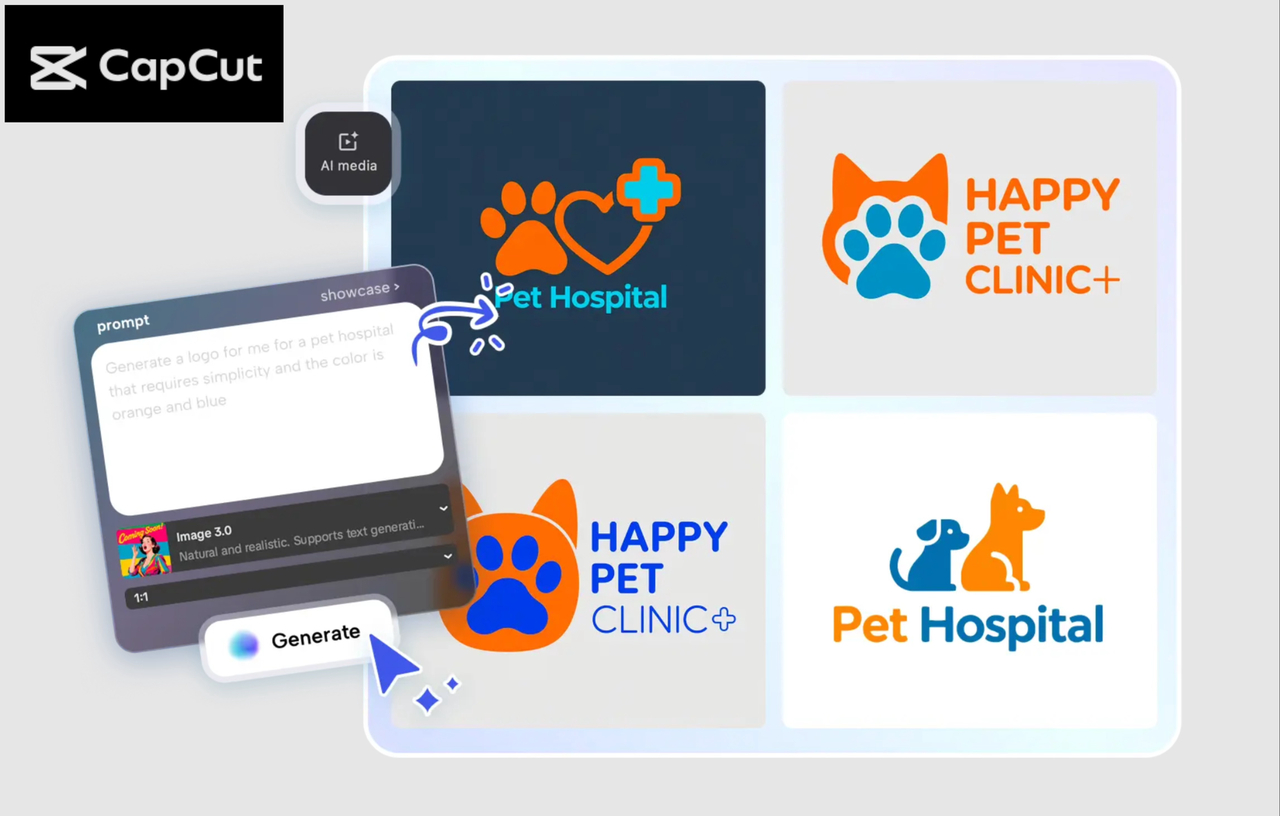
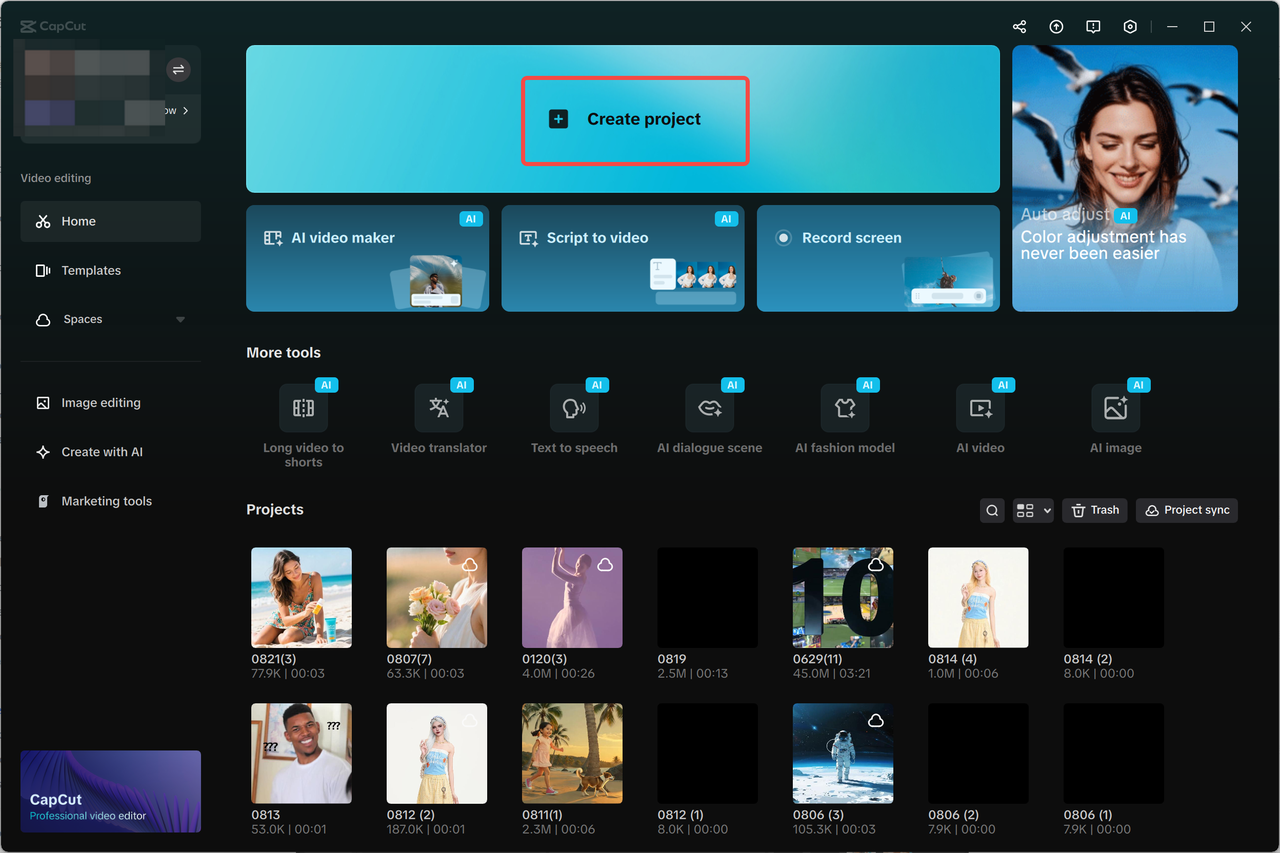
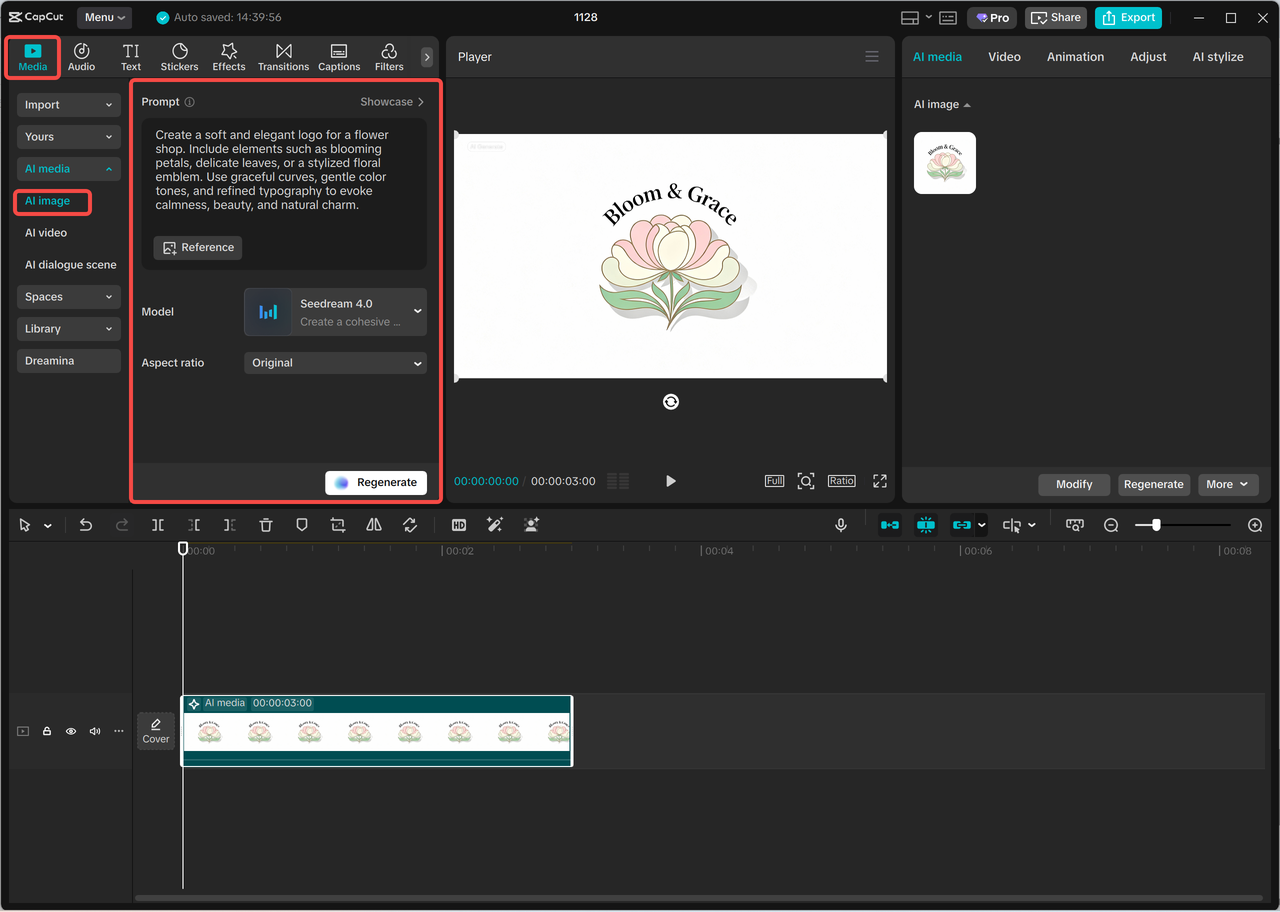
Here, open a new project in the CapCut AI image generator and go to the subsections of AI media, AI image. Write in-depth about what you want your YouTube logo to be, including color and style, and any other features that will capture the theme of your channel. Optional: Provide a reference image to be used to guide AI to provide more precise results.

Newtum

Step 2: Generate an AI logo

Select a generation model: Nano Banana Pro, Seedream 4.0, Seedream 3.0, Seedream 3.1, or Flux 1.1 Pro. Click on generate to generate a logo automatically regarding your input.

Newtum

Step 3: Edit a logo

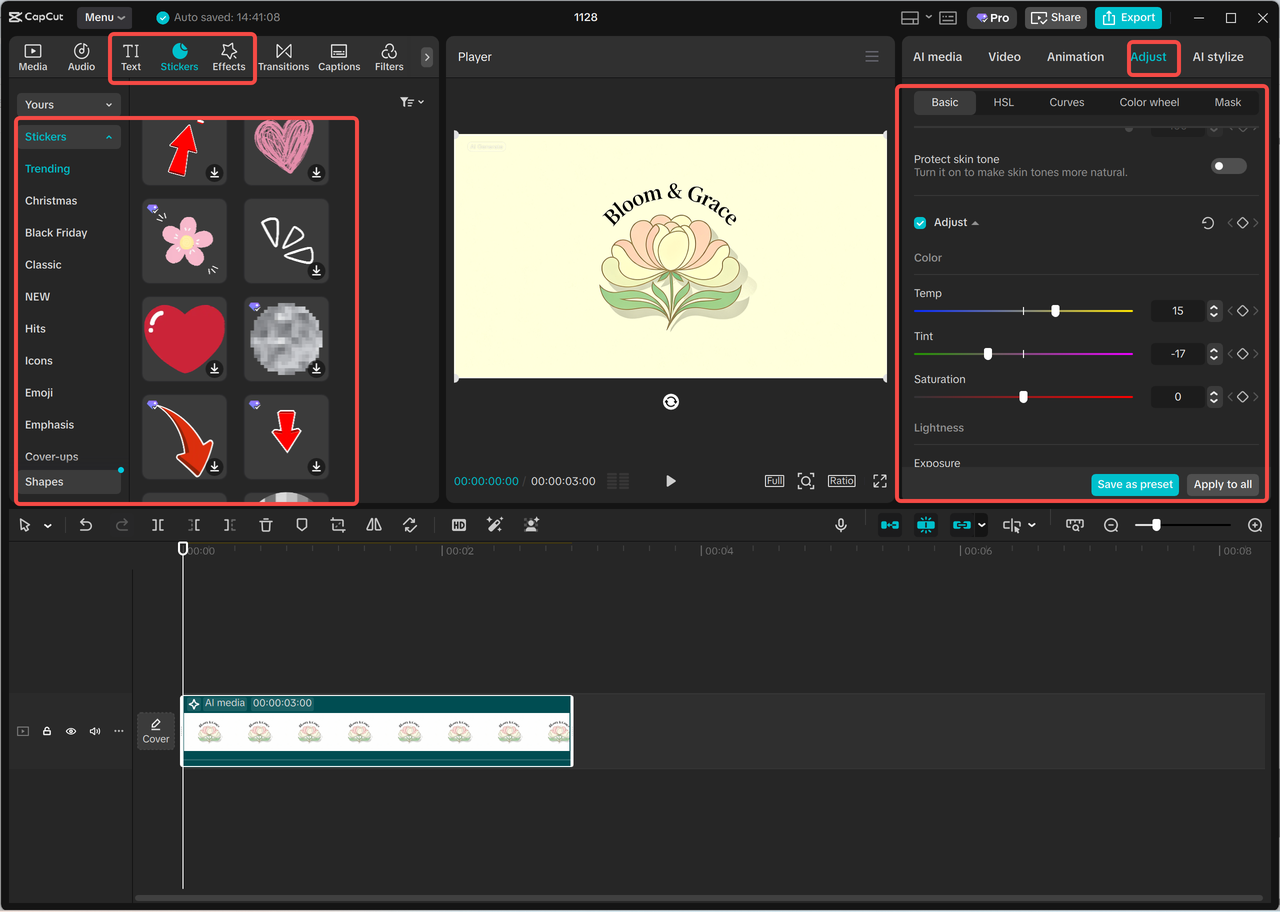
Create your logo with the CapCut editing technology. Customize colors, fonts, stickers or effects to make a unique and professional design to fit your channel branding.

Newtum

Step 4: Export a logo

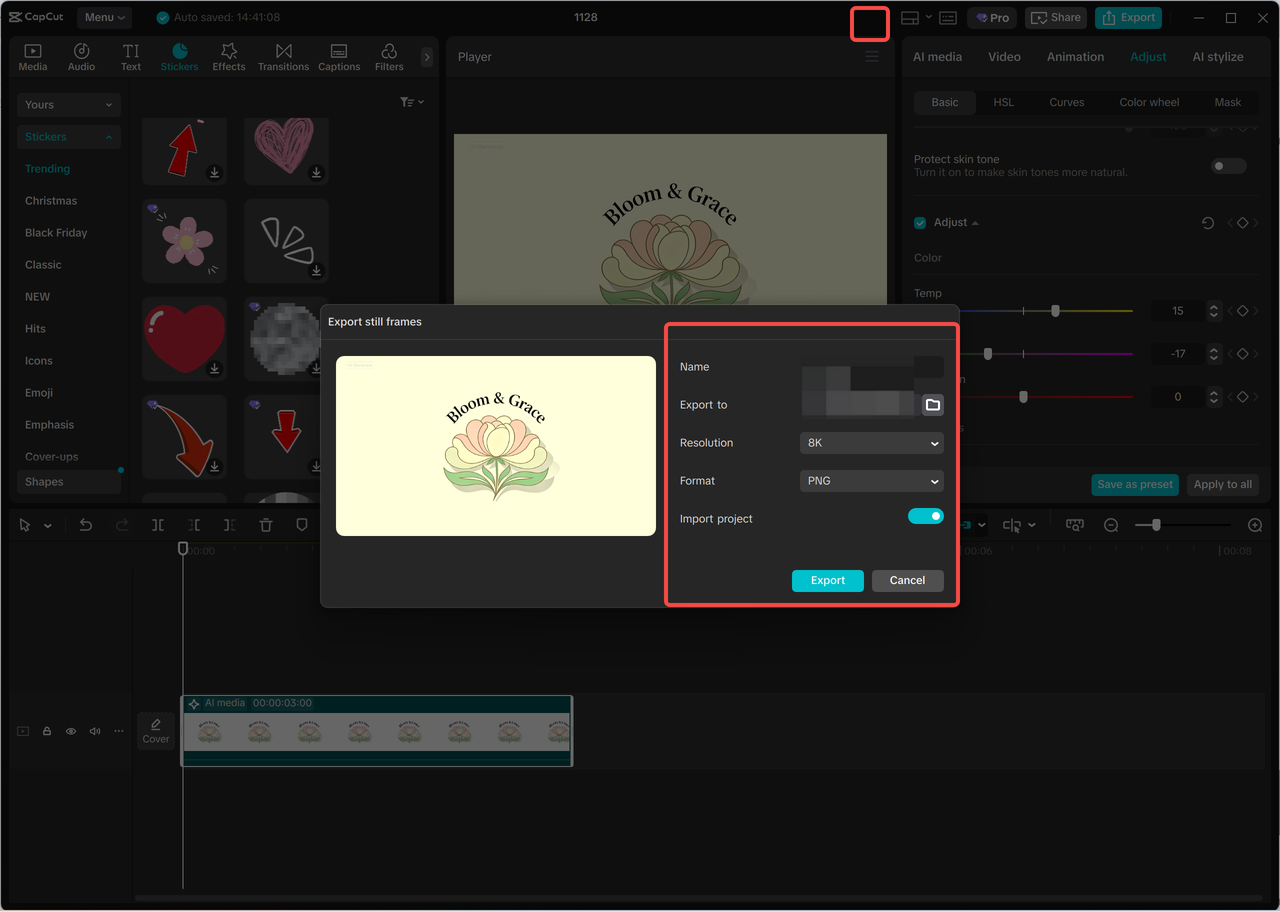
The three lines are above the editing panel, and one should choose Export still frames. Select resolution (maximum 8K) and format, and choose "Export" to save the finalized version of the logo and use it on YouTube and other sites.

Newtum

Practical Tips for YouTube Logo Design

  1. Align logo with channel niche - Add things to the prompt that are representative of your content and target.
  2. Test different design variations to select the most interesting and recognizable logo.
  3. Use example pictures, train AI with images of colors, fonts, or styles you want.
  4. Maximize different assets to have logo scalability of profile pictures, banners and thumbnails.
  5. Refine in CapCut- Use filters such as shadows, outlines or stickers to make them more visible and attractive.

Conclusion

The AI Logo Generator by CapCut is the solution for YouTube creators who want to develop a professional and recognizable brand channel. Creators can create a cohesive visual identity (profile pictures and banners, and other items in channels) by using simple text prompts to produce high-quality logos. The fact that any number of styles, fonts, and colors can be used makes it possible to make the logo attractive to the target audience and yet professional. The logos can be used in any digital application due to the high-resolution outputs and can be fully customized with the editing tools of CapCut. Using this AI tool in your channel branding process, YourTube creators will have a chance to save time, cut down expenses, and concentrate on content development while making sure that your channel is unique. Design your logo on your YouTube channel today:

With Vmake AI, anyone can turn simple ideas into polished, engaging UGC videos in minutes — no editing expertise or expensive tools required.

More Articles

Ready to Explore the Future of Technology?

Unlock the tools and insights you need to thrive on social media with Newtum. Join our community for expert tips, trending strategies, and resources that empower you to stand out and succeed.

Newtum

Newtum is an emerging online academy offering a wide range of high-end technical courses for people of all ages. We offer courses based on the latest demands and future of the IT industry.

© 2025 Newtum, Inc. All Rights Reserved.